AI interior design: what it can and cannot do
Quick answer
AI interior design tools redraw a photo of your room from a request, such as a new style, and give you a new picture, not a plan. They are good for trying styles, colours, layouts and pieces before you buy. They cannot measure your room or pick real products in exact sizes, they move furniture unreliably, and they can change details you did not ask about.

By Eduardo, founder of Calm Decoration
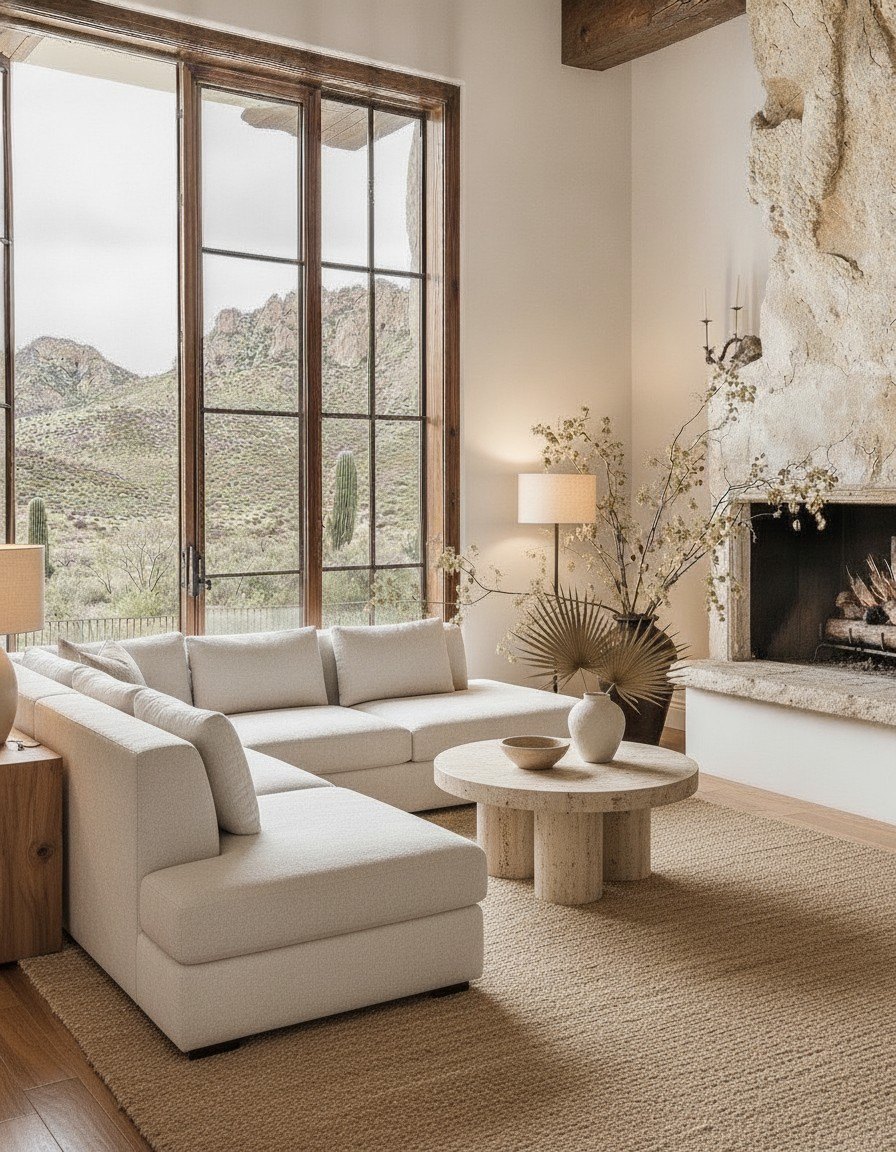
AI tools can now show you your own living room in a new style in a minute or two. That is genuinely useful, and also easy to misunderstand. This guide explains in plain words how these tools work, what they do well, where they fall short, and how to get results you can actually decide with.
What is AI interior design?
AI interior design means using an image-generating computer model to show a room differently: in another style, with new furniture, with things removed or with different colours and materials. You give it a photo of your room and a request, and it gives you back a new picture.
Some tools also read a photo and give written advice, or help you put together a moodboard. But the core of most of them is the picture: a visual answer to "what would my room look like if…?".
How does AI interior design work?
The model has learned what rooms, furniture, materials and light look like from a very large number of images. When you give it your photo and a request, it paints a new picture that is meant to keep your room as it is (the walls, the windows, the floor, the view) and change only what you asked for.
Two things follow from that, and they explain almost every strength and weakness:
- It is a picture, not a measurement. The model does not know that your room is 4.2 m (about 14 ft) wide. It draws what looks right.
- In most tools, every part of the picture is redrawn. Even the bits you did not ask to change are painted again, so small details can shift: a radiator, a skirting board, the pattern of a rug.
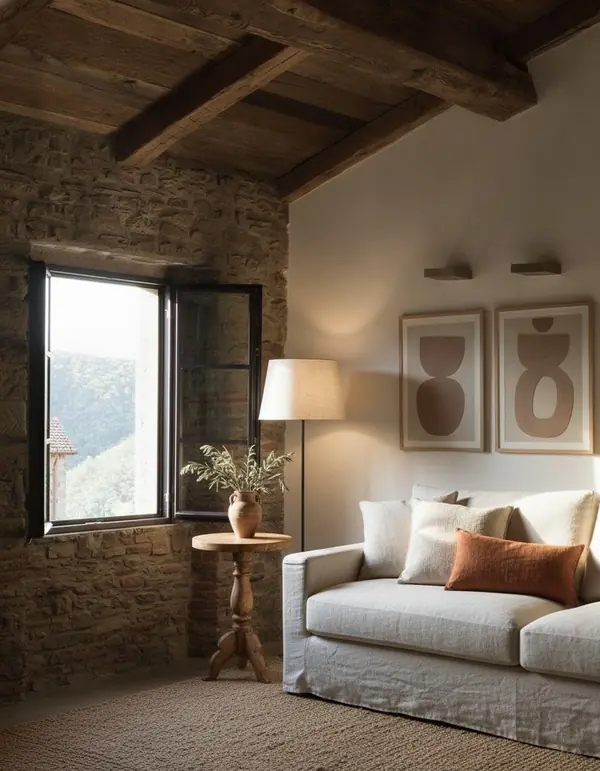
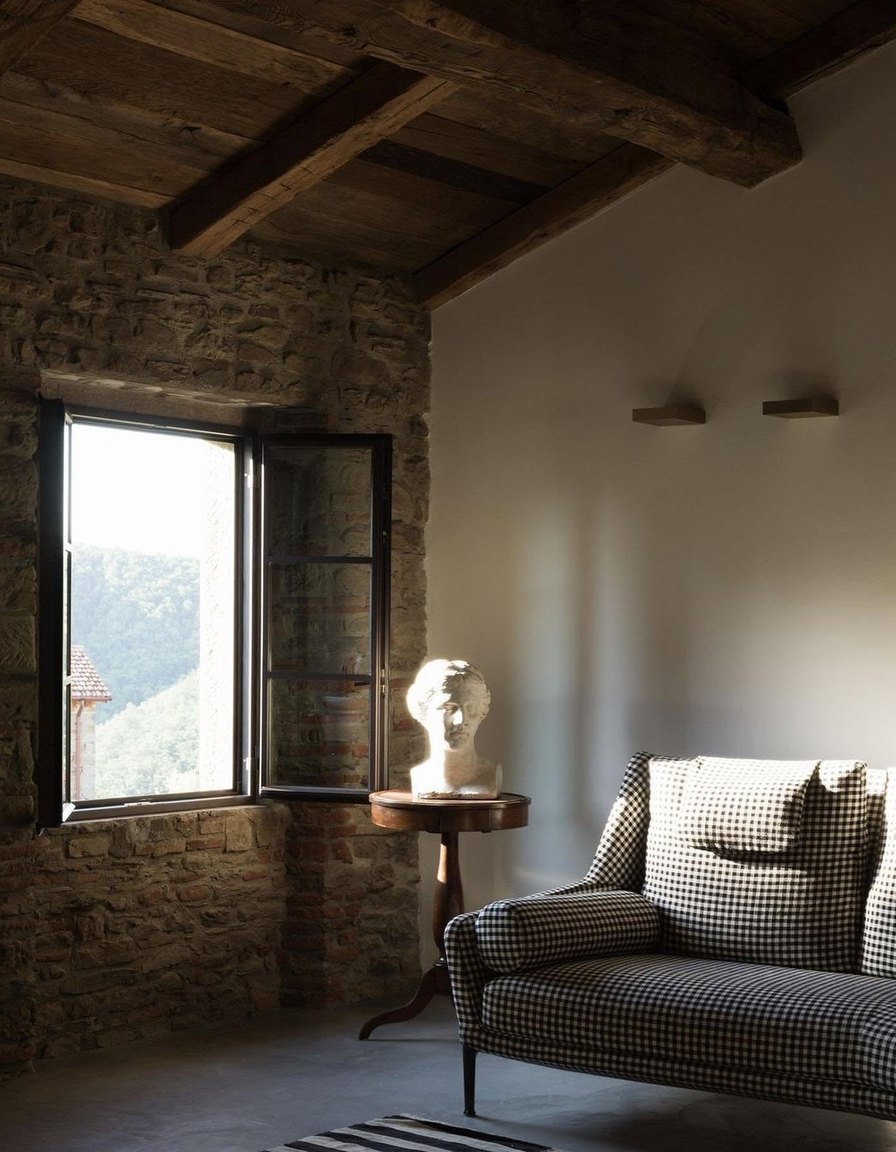
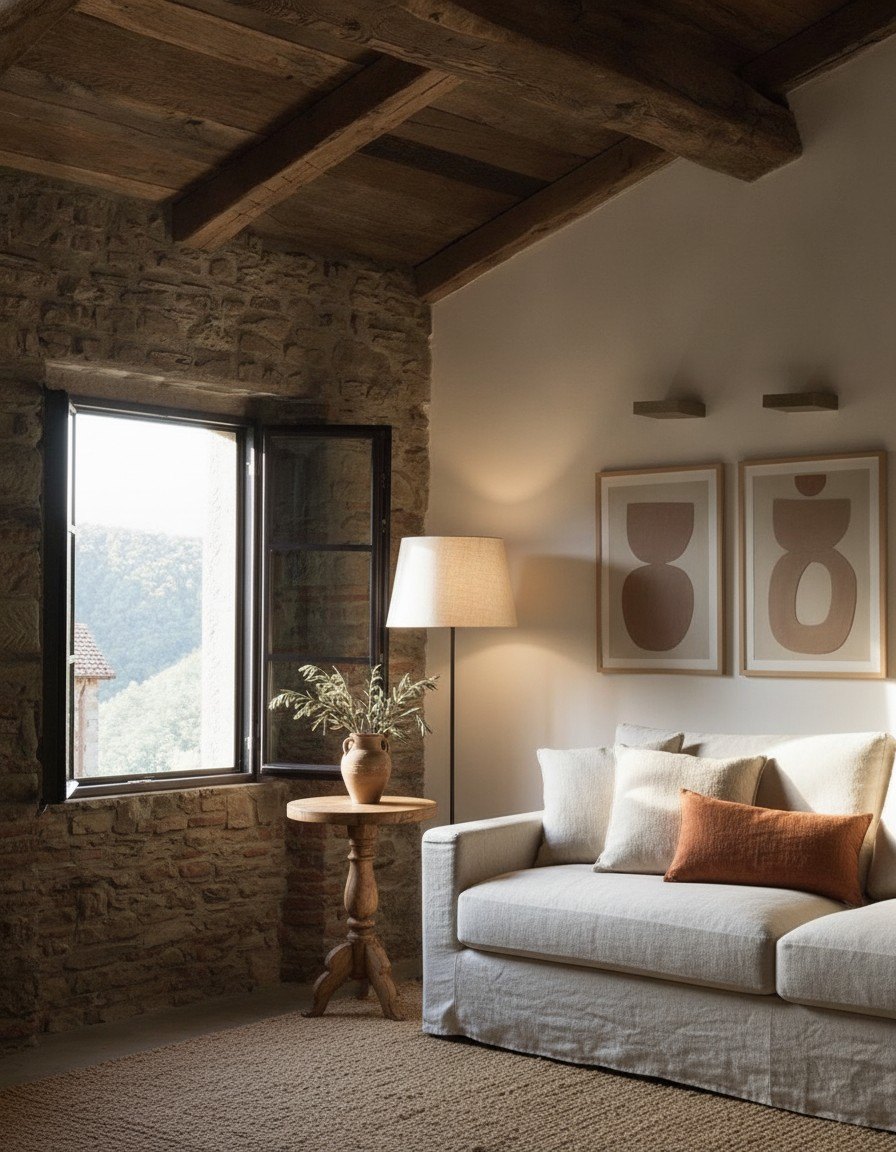
Here is a restyle of one room. The stone wall, the beams and the window stay; the furniture, the art and the rug are new.
What can AI interior design do?
From one photo of your room, an AI tool can show it restyled, furnished, with a chosen piece added or with things taken out, and some also give written advice.
| Task | What you get |
|---|---|
| Restyle a room | Your room with its furniture and decoration in another style |
| Furnish an empty room (virtual staging) | The empty room shown with furniture, rug, lamps and art |
| Add a chosen piece | A sofa or chair you are considering, drawn into your room from its product photo |
| Remove furniture or clutter | The room with chosen things taken out |
| Try colours and materials | A new palette, fabric or finish shown in place |
| Advice on the room | A written list of what to change and why, sometimes pinned to the photo |
What is AI interior design good for?
AI redesign is at its best before you spend money, when you are trying to decide.
- Choosing a style. Seeing your own room as Japandi, Mediterranean and Mid-century side by side settles questions that photos of other people's homes cannot.
- Testing colours and materials against your own floor and the room's fixed features, as a first idea. The picture's light and colours are approximate, so still test large paint samples on your walls in morning, afternoon and evening light before you choose.
- Getting a feel for the layout. Would a corner sofa or two armchairs suit the room better? Does a round table suit the corner? Sizes in the picture are only approximate, so measure before you buy.
- Seeing an empty room furnished, which many people find hard to imagine.
- Agreeing with someone else. A picture ends a lot of "but what do you mean by cosy?".
- Starting a moodboard or shopping list. The result gives you a direction to look for real pieces. How to make a moodboard shows how to turn that into a plan.
What are the limits of AI interior design?
AI interior design cannot measure your room, plan it or find real products in exact sizes, and because it redraws the picture, it can change things you did not ask about. Knowing these limits is what makes it useful rather than frustrating.
- It does not measure. No floor plan, no dimensions, no quote, and sizes in the picture are approximate: a sofa can be drawn larger or smaller than it would really be in that space, since the model knows neither its real size nor the room's. Always check sizes with a tape measure.
- The furniture is invented. Unless you gave it a product photo, the pieces in the picture are not products you can buy. Even from a product photo, details and proportions can come out slightly different.
- It can change things you did not ask about. Because the picture is redrawn, a lamp, a plant, the light or a small detail may change. Occasionally a window or door is drawn differently, which a good tool should check for.
- It cannot reliably move or turn furniture. Asked to move a lamp, a model may draw a second lamp instead.
- Some things refuse to leave. Sofa cushions, white furniture against white curtains and small glass objects can be left behind when you ask for them to be removed.
- "Tidy the whole room" is timid. It may take away very little, or even add an object or two. It works much better when you point to the exact things to remove.
- Results vary. The same request can give a better or worse result on a second try.
How to get good results from AI room design
- Start with a good photo. Soft daylight, the phone level at chest height, and the main 1x lens rather than the ultra-wide (often 0.5x) one. How to photograph a room explains how.
- Ask for one thing at a time. A new style, then a change to the rug, then a different lamp, rather than everything at once.
- Be specific. "A low linen sofa in oatmeal" works better than "a nice sofa".
- Point at what you mean. Where a tool lets you click or paint on the photo, do it: it is far more reliable than describing a place in words.
- Try twice. If a result is close but not right, run it again before changing the request.
- Compare before and after carefully, looking at windows, doors and anything you did not want changed.
- Check real sizes with masking tape on the floor before buying anything you saw in a picture. How to see furniture in your room before buying covers the ways to do that.
Can AI replace an interior designer?
Not for a whole project. AI shows ideas on a photo of your own room in minutes; a designer measures, plans, sources and manages the work; a 3D planner fits furniture to exact sizes. You can use more than one.
| AI photo redesign | Interior designer | 3D room planner | |
|---|---|---|---|
| What you get | Pictures of your own room | A plan, advice and often sourcing and project management | A measured model you can walk around |
| Accuracy of sizes | Approximate | Measured | Measured |
| Real products | Only if you supply them, approximately | Yes | Often from a catalogue |
| Time | Minutes | Weeks to months | Hours |
| Best for | Choosing a style, colours and direction | A full project, especially with building work | Fitting furniture exactly |
How does Calm Studio use AI?
Calm Studio, the studio of Calm Decoration, uses AI in several of the ways above, always starting from a photo of your own room. It can restyle the room in a style you choose or with your own moodboard, furnish an empty room, add pieces you choose from their photos, remove furniture or clutter, and audit the room, with advice that AI writes from interior designers' rules of thumb, pinned to the photo. If you do not know your style yet, the free style quiz finds it first. Walls, windows and doors are meant to stay where they are (a restyle in a style you pick may give the walls a new colour). When the whole room is restyled or furnished, the result is checked for a lost door or window and drawn again when one goes missing, though no check catches everything.
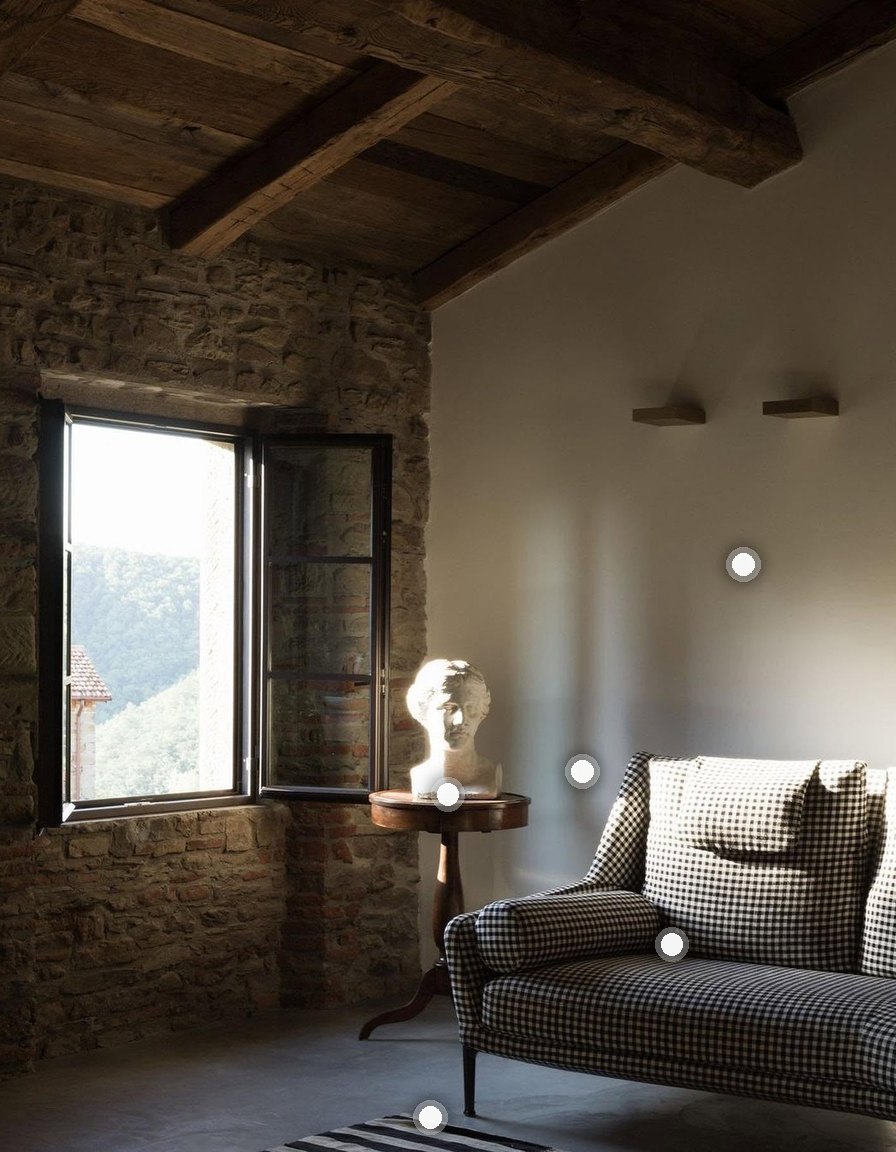
It does not give quotes, shopping lists with prices or floor plans, and the limits above apply to it as to any AI tool. The last lesson of the course, bring it together, shows where a preview fits in a real redesign.
Frequently asked questions
Can AI design my whole room for me?
It can show you convincing ideas for the whole room, which is a great start. You still decide what to keep, measure, choose real pieces and plan the work.
Will the furniture in the AI picture exist in real life?
Usually not exactly. Treat the furniture as a direction, then look for real pieces with the same shape, colour and material, or add the photo of a real product you are considering.
Can AI give me the measurements of my room?
Not from a single photo in a redesign tool. Measure with a tape measure, or use a dedicated measuring or 3D planning app.
Is it safe to upload photos of my home?
Read the tool's privacy policy to see where photos are stored and how they are used. It is sensible to leave out faces, documents and anything that shows your address.
Can I keep some of my furniture and change the rest?
Yes, in tools that let you choose: click or paint the pieces you want changed, or name the ones to keep. Check that what you kept still looks the same, since the picture may be redrawn around it.